
The dealer playbook: from signup to your first client
YG3 is the core software you run your AI-install practice on. You bring and service the client, and you earn for the life of the account. Here is the whole flow, from the day you apply to the day you onboard your first company.
The deal, in one line
Free to join. Prove you can run an install and you’re certified to set up accounts. You earn $500 a month per client on the Software + AI plan, for the life of the account, and you set your own service fees on top. The best dealers get fed YG3’s own leads.
Step 1 — Apply
Start on the Dealer Program page and submit the short application. No call required. That kicks off the recruitment flow and the dealer course.
Step 2 — Prove your setup, get certified
The qualification is practical: provision a client account end to end, then submit it for review from the Dealer tab. Approval flips you to certified, which is what lets you set up client accounts. Once you are certified, the Dealer tab shows your status and your demo account.

The Dealer tab once certified: your status is live, and your demo account is ready.
Step 3 — Log in
You sign in to your own agency workspace. Everything you run, every client and every channel, lives here. You are the agency owner; your clients never see YG3 underneath.
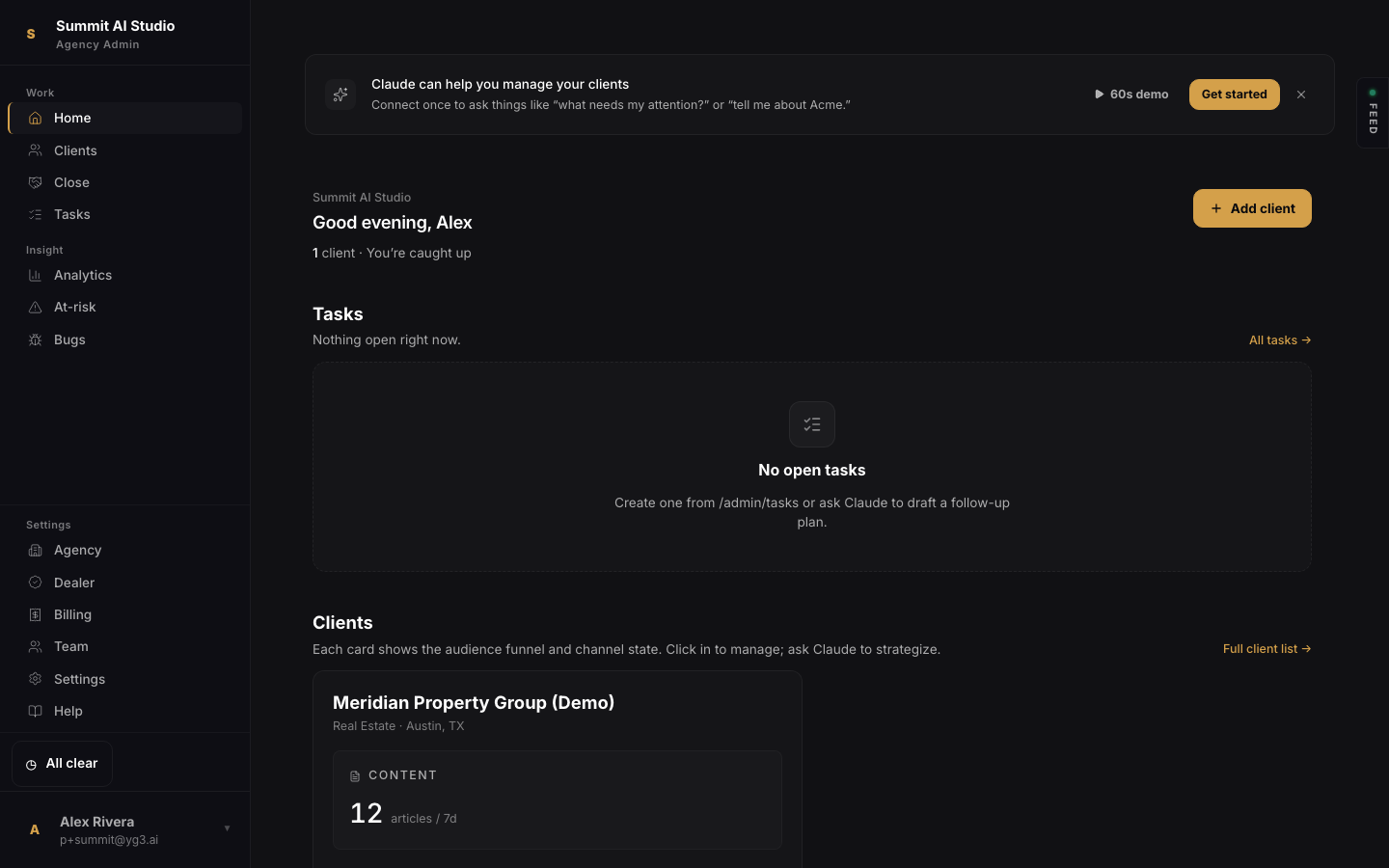
Your home: clients, tasks, and the channels each one is running.
Step 4 — Demo the product
Every dealer gets a fully-populated demo client, seeded automatically. It looks like every feature is running well, content publishing, ads under management, outbound, LinkedIn, and analytics, so you can walk a prospect through the live product before they sign. It is never billed.
Step 5 — Onboard a company
When a prospect says yes, add them as a client. The business name is the only required field; everything else you can fill in from the client’s page later. The account provisions instantly and drops you into its workspace.
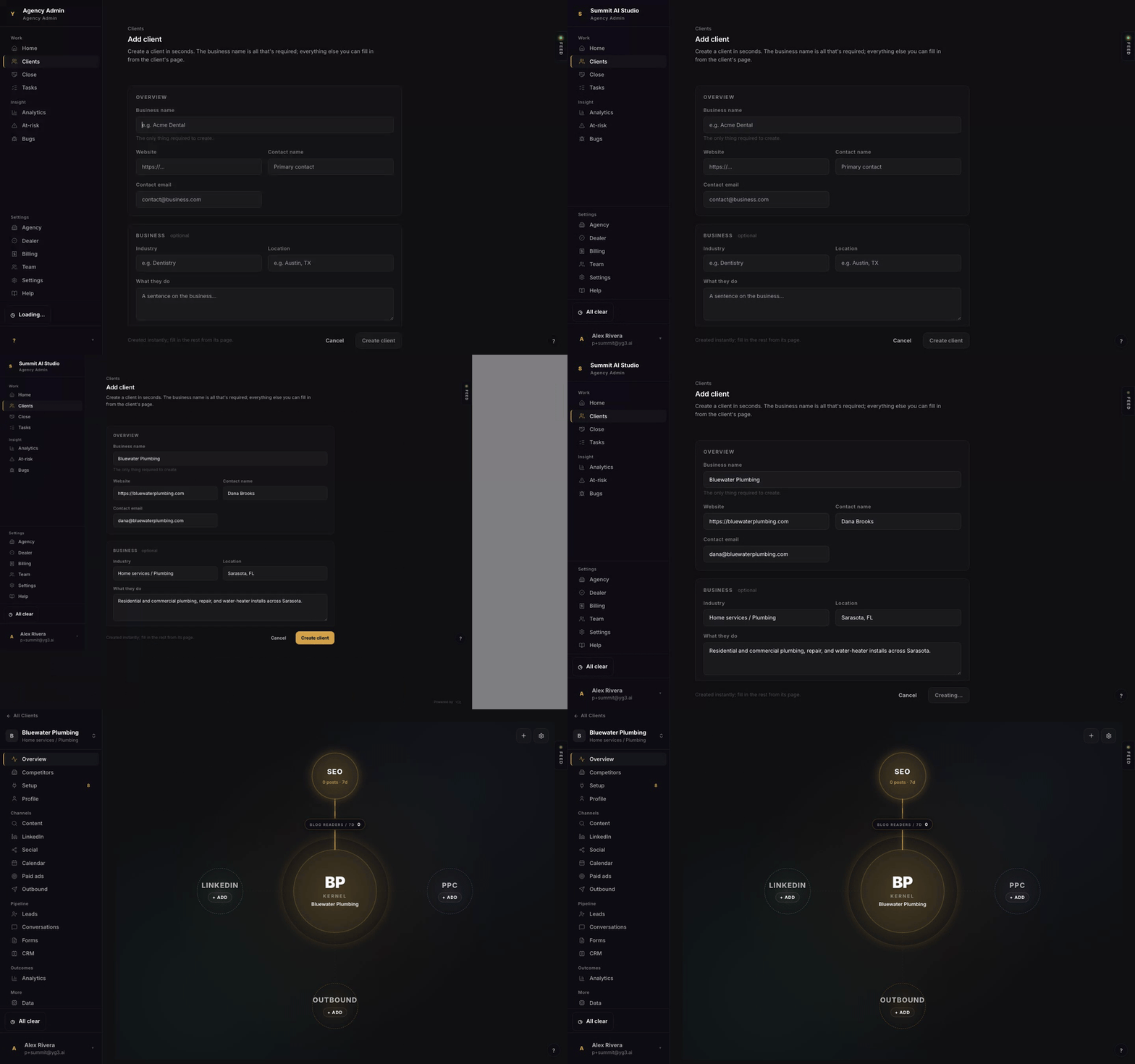
Add client, then Create. The new account opens to its kernel view with every channel ready.
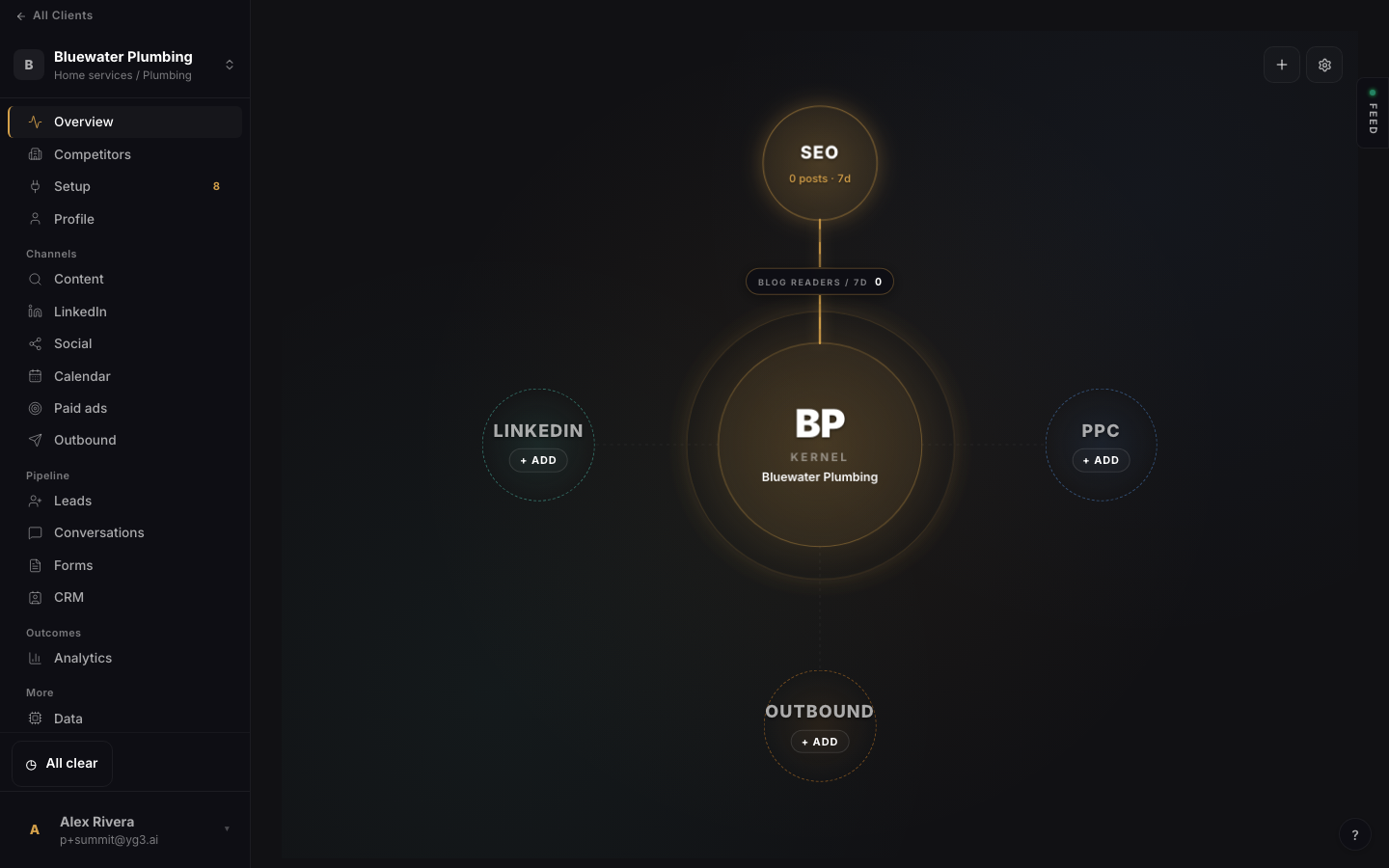
Step 6 — Set up the account
This is your craft, and the platform gives you a single checklist for it: the tracking pixel, lead capture, Google Ads (send the manager-link request right from here), conversion tracking, the GoHighLevel connection, and the sending domain. Drive every check to green, then keep an eye on setup health over time. That is the dealer’s real job, and it is what earns you the lead flow.
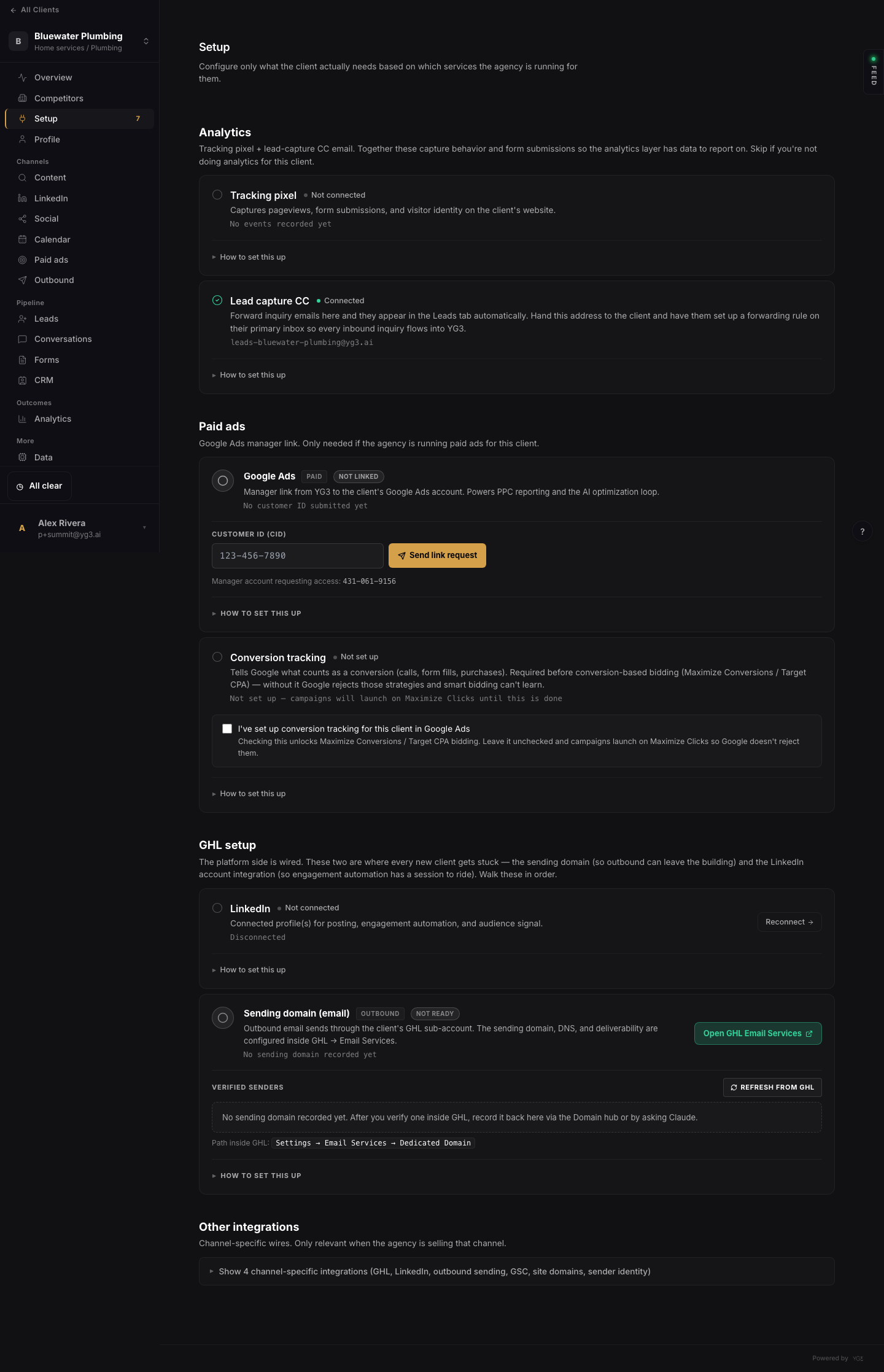
The setup checklist: analytics, paid ads, GoHighLevel, sending domain, and more.
Step 7 — Send the signup link and get paid
In the Close section you research a prospect, tailor the story to them, and when they are ready you send a signup link right from the workspace. There are two: Software + AI at $1,500 a month (you earn $500), and Software only at $500 a month (you earn $100). The client pays YG3 directly, and your cut routes to your connected Stripe account automatically every month.
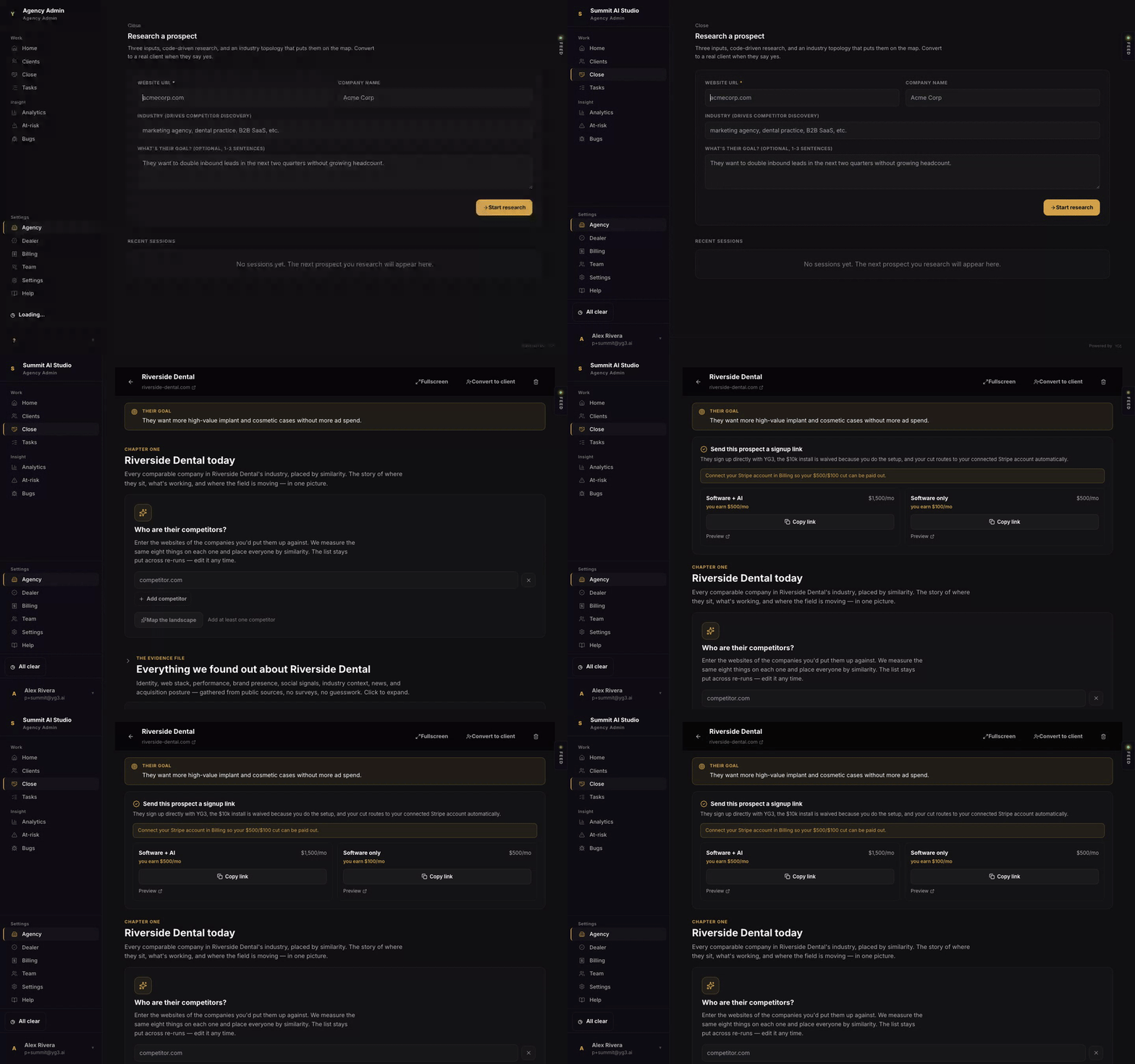
The signup-link panel in Close. Connect your Stripe account in Billing first so your cut can pay out.
That is the whole loop
Apply, get certified, demo, onboard, set up, and send the link. From there the platform runs the marketing for your client, you keep them healthy and happy, and you earn every month they stay. Deliver well and YG3 starts sending demand your way.
Not a dealer yet? Apply on the Dealer Program page.