
Build your website with AI, through Claude, ChatGPT, or any MCP assistant
The site builder is run by conversation. You tell your AI assistant what you want, it builds the page, you look at it, and you publish. There is no editor to learn and no template to wrestle with. It works with any assistant that connects to the YG3 MCP, including Claude and ChatGPT (OpenAI). We use Claude as the example throughout, but the same requests work in any of them.
One sentence to Claude builds a complete service-business homepage, section by section, then publishes it live.
Why there is no editor
Every other website tool hands you a blank canvas and a thousand controls. This one does not. You describe the business and the result you want, and Claude assembles the page for you. Behind the scenes the design is built from a fixed set of sections with bounded settings, so what Claude produces always looks designed. You get the flexibility of a custom site without the risk of breaking one.
This is what we mean by on rails. Claude can change the color, the fonts, the sections, their order, and their content, all within values the platform validates. It cannot produce a broken layout, and neither can you.
What a site is made of
There are three things, and Claude manages all of them for you:
Theme. Your brand color, the layout style, and the font.
Business profile. Your name, phone, address, hours, service area, Google Business Profile link, review link, booking link, and social links. You give these once, and the header, footer, and contact section all use them. Keeping this consistent also helps you in local search.
Sections. An ordered set of blocks chosen from a fixed catalog: a hero, a services grid, an about section, testimonials, a call-to-action banner, a contact form, and a blog feed that keeps your published articles on the home page. Claude adds, edits, and reorders these as you ask.
How to use it
Open Claude with the platform connected and say what you want. A first request can be as simple as one sentence.
“Build a website for Rivertown Plumbing in Tampa. We do residential plumbing, water heaters, and drain cleaning, and we offer 24-hour emergency service.”
Claude researches the business, sets up the profile, writes real copy for each section, finds photographs, and assembles the page. Then it shows you a private preview link and explains the choices it made: why this layout, this color, this order. Nothing is live yet.
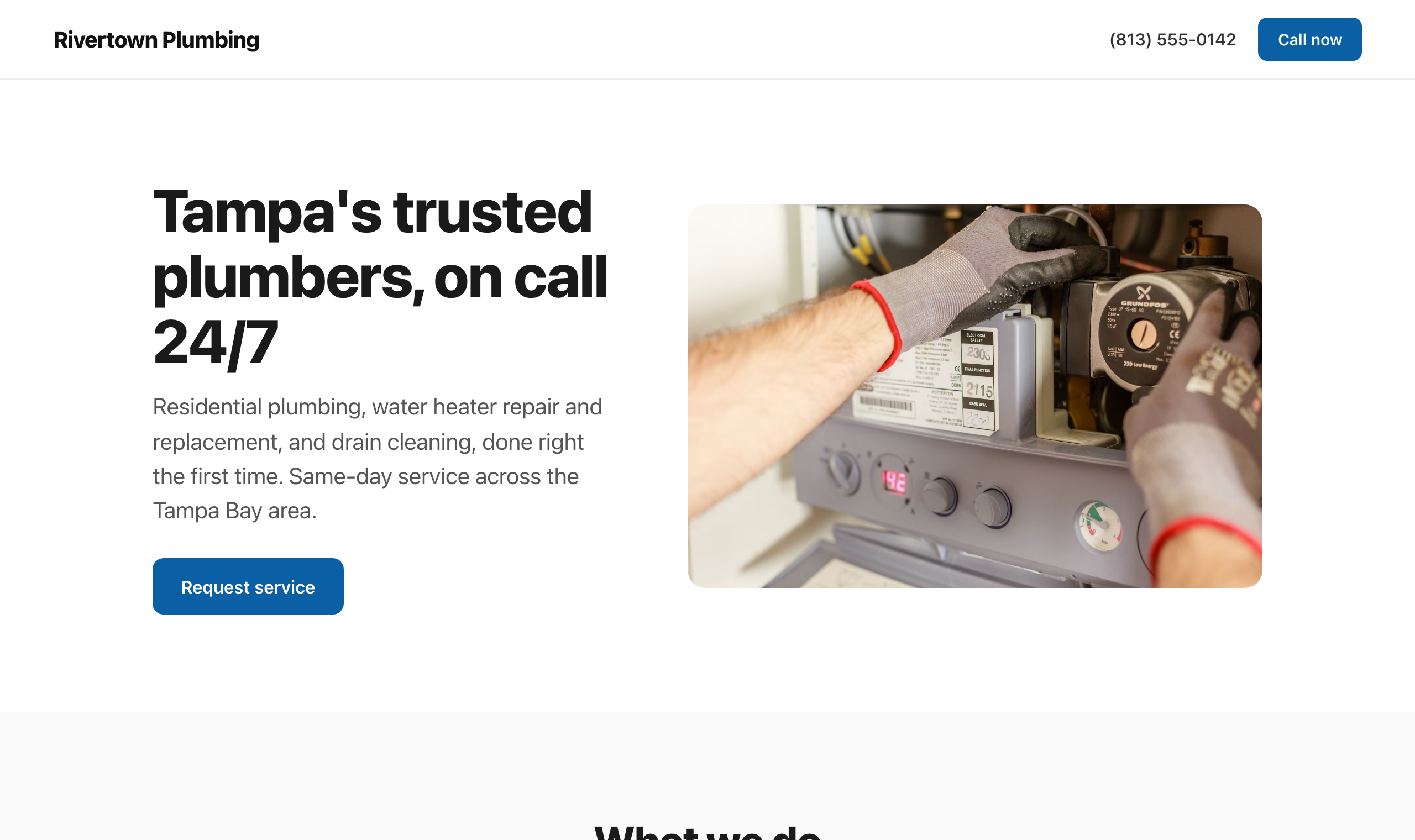
From a one-sentence brief, Claude builds the whole page: header with click-to-call, hero, and a clear call to action, in your brand color.
Changing things
Keep talking. Every change is a sentence, and Claude stages it on the same private preview so you see it before anyone else does.
“Make the hero warmer and lead with the emergency service.”
“Use a friendlier font.”
“Add a testimonials section with these three reviews.”
“Move the contact form up, above the about section.”
The contact form sends you leads
The contact form is wired into the platform. When someone fills it out, it becomes a lead in your leads list and emails you, the same way every other lead capture on the platform does. You choose which fields to ask for and which address to notify. There is nothing extra to connect.
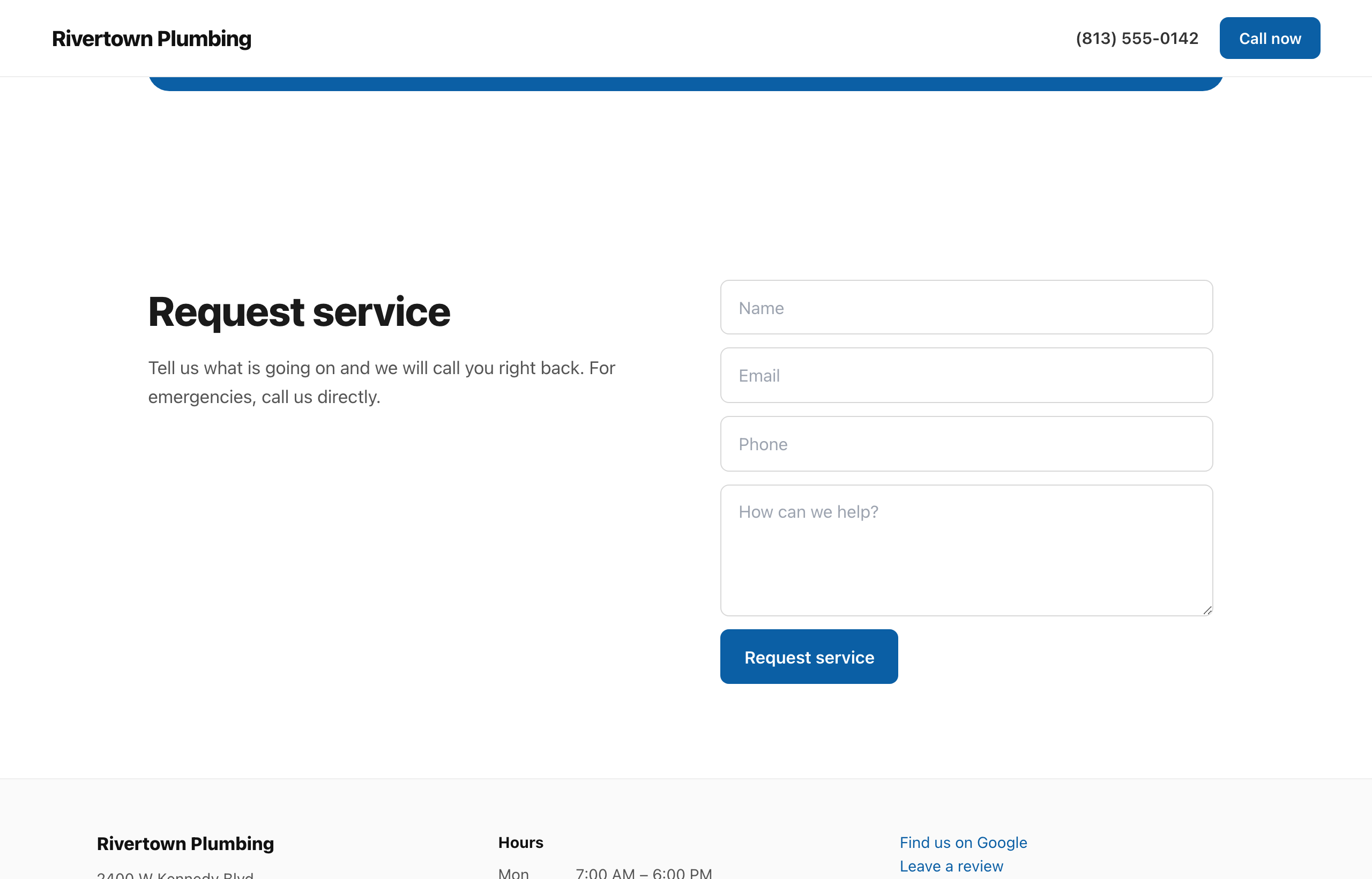
The contact form sends you leads. The footer details, hours, and review links all come from the business profile you give once.
Preview, then publish
Until you publish, everything is a draft that only you can see. When the page is right, you tell Claude to publish and confirm once. It goes live on your site, and the platform records who published it and what changed, so there is always a record. To roll something back, you ask Claude, and it stages the change for you to publish again.
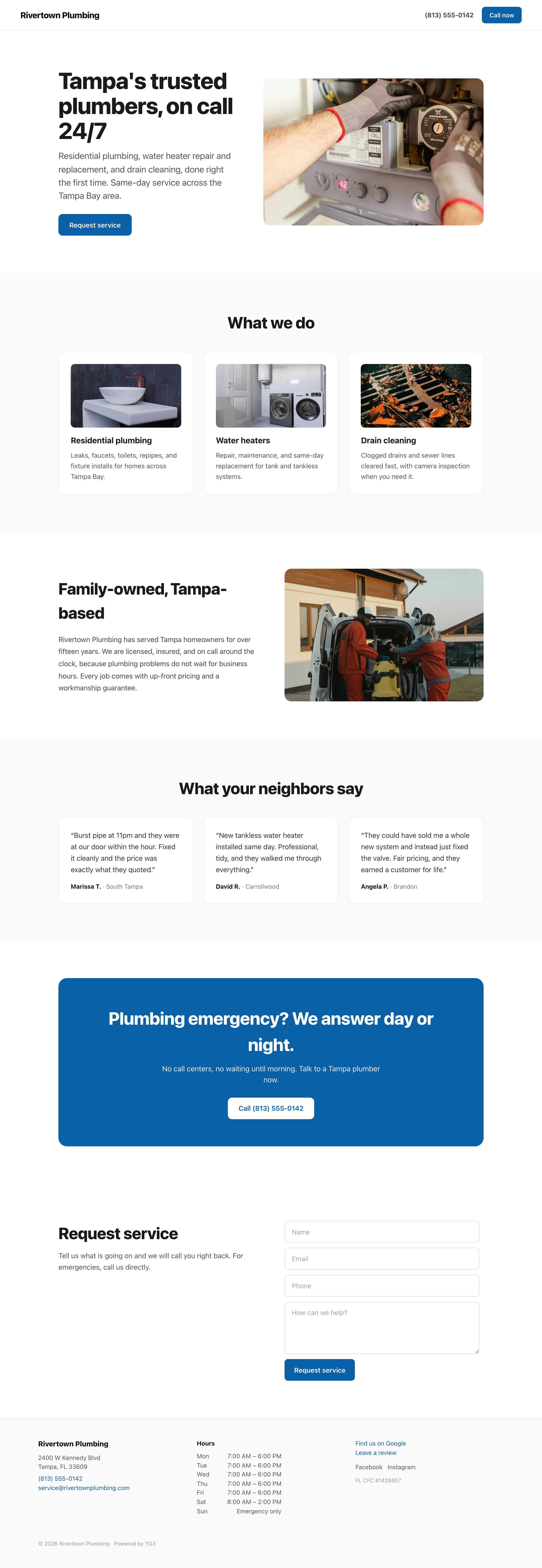
The full page, published and live on your domain.
Built to rank on Google
The sites are built to be the most search-optimized pages a small business can put online. This is not an add-on or a setting you have to find. Every page ships with the full technical foundation, automatically:
A perfect SEO score. Every page scores 100 out of 100 on Google’s Lighthouse SEO audit, and 100 on accessibility, with no failing checks.
Rich local structured data. Your business details become full LocalBusiness data that Google reads directly: name, address, phone, opening hours, service area, map, and social profiles, plus your services, organization, and breadcrumbs. This is what earns the map pack and rich results, and most website builders never generate it.
Fast, server-rendered pages. Pages render on the server with almost no JavaScript, so they load fast and score well on Core Web Vitals, the speed signals Google ranks on.
Clean, correct markup. One H1 per page, proper heading order, page landmarks, descriptive alt text on every image, and sized images so nothing shifts as the page loads.
Indexable by default. Canonical URLs, Open Graph and social cards with your photo, a sitemap, a robots file, and Search Console verification, all set up for you.
Consistent name, address, and phone. These come from one place and match across the header, footer, contact section, and the structured data, which is itself a local ranking factor.
You do not configure any of this. You describe the business, and the page comes out built to rank.
It works on every screen
Every site is mobile-ready automatically. The layout reflows on phones and tablets, the hero stacks, and the text scales, with nothing for you to set. The same page you build looks right whether a customer is at a desk or on a phone in their driveway.
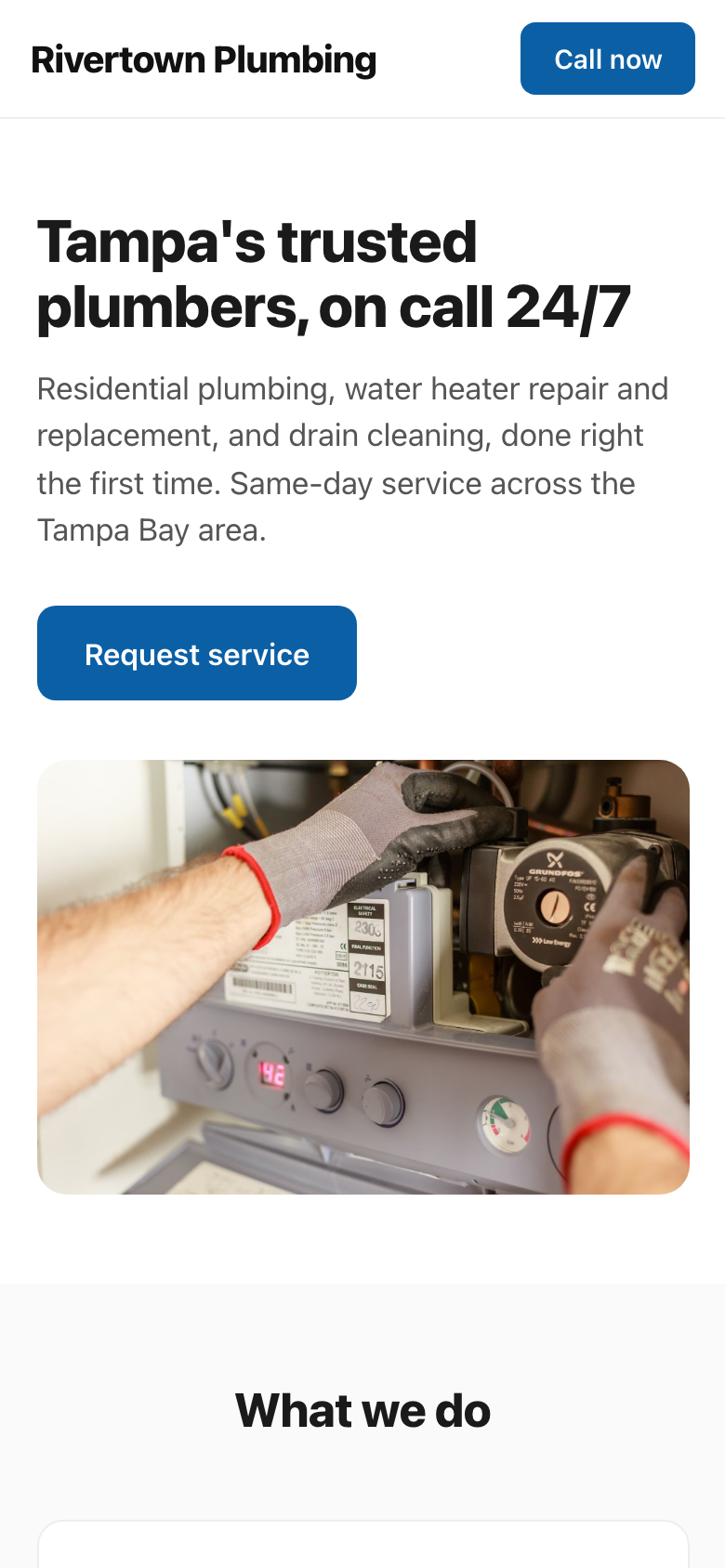
The same Rivertown Plumbing site on a phone, with no extra work.
Good to know
A client with no published sections shows the normal blog feed. The built site takes over only once you publish sections.
Claude works from real information. Give it your phone, address, hours, and review links, and it will use them. It will ask rather than invent them.
You can ask Claude what it can change at any time. Behind the scenes it reads the current design, the catalog of sections, and the settings each one allows.
For a full reference of every command, with a short clip of each one performed on a real site, see Every site edit command.
To go deeper on the workflow, your assistant can read the platform’s own guide for this feature. Just ask it to read the site-builder doc.
The site builder runs through Claude and the connected platform. It does not require any separate software.