
Channel deep-dive: Outbound
The Outbound channel turns a target audience into booked conversations: it discovers and enriches leads, drafts in the client’s voice, sends in calm waves, and learns from what comes back. You steer the pot; the pipeline keeps it moving.
The pipeline at a glance
The top of the channel is live pipeline state: counts for leads, to-review, sent, and replied, and the full funnel below, Discovered, Enriched, Drafted, Approved, Sent, Opened, Replied. The cadence cards tell you what runs next: when enrichment fires, when the next auto-pipeline drafts, and when the next send batch goes out. An empty funnel just means no audience is loaded yet.
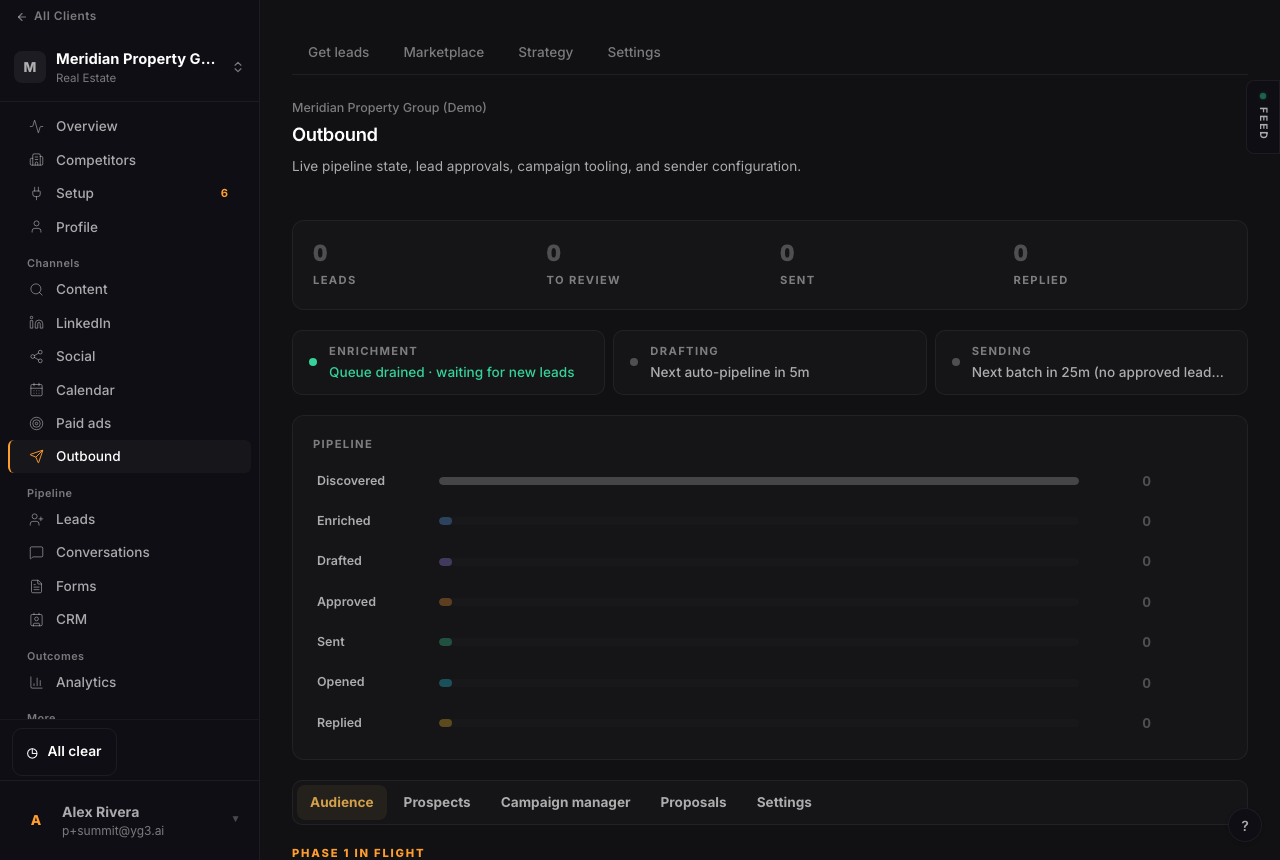
The pipeline view: the lead-to-reply funnel plus the enrichment, drafting, and sending cadence. It fills as you load an audience.
Audiences are the moat
Everything starts with the audience. Build one by uploading a list, segmenting it, and pointing the engine at it; the dataset you assemble is what the channel learns from over time. External list tools (Apollo, Clay, and the like) are first-class here: their uploads enrich the same dataset rather than competing with it. Discovery can also find and enrich net-new leads when you want it to.
Campaigns, drafts, and approvals
The Campaign manager and Proposals tabs are where messaging lives. The engine drafts in the client’s voice and stages those drafts for review; you approve what goes out. To protect deliverability, discovery and drafting check the downstream queue first, so you don’t over-fill a sender that’s already backed up. Sending happens in measured batches, not blasts.
Two ways to send
There are two lanes. Mass and drip sends go through the client’s dedicated sending domain (set up in GoHighLevel, see client setup). Personal, one-to-one outreach can go from a connected inbox so it reads as a real person writing. New tenants default to a conservative daily cap so a new domain warms up cleanly.
The lead marketplace
The Marketplace tab is an optional shortcut to inventory: unlock curated leads with credits and they drop straight into the client’s pool, ready to enrich and work. It is there when you want volume without building a list from scratch.
Related: setting up the sending domain.